Flow / structure trader
Options flow, dark pool, GEX — explained in plain language
DESKTOP-FIRST AI MARKET RESEARCH
Mac, Windows, web, iPad. Options flow, dark pool, GEX — as context, not signals.
Free plan · no credit card · Separate 7-day Pro trial · Cancel anytime
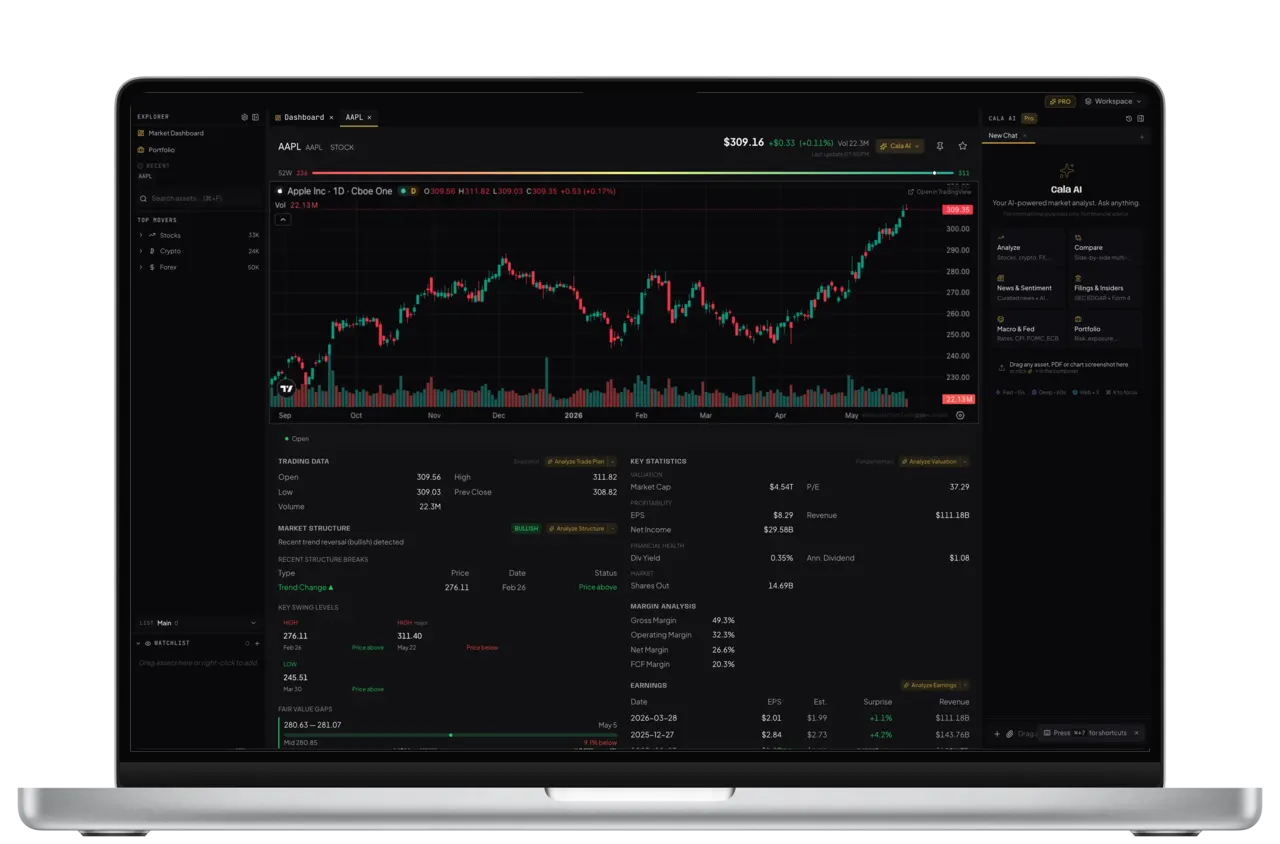
Four docked panels — dashboard, chart, structure, AI.
INFORMATIONAL ONLY
Cala helps you interpret market data, news, and structure. It is a research copilot — not a place to place orders, and not a feed of “ideas ready to copy.”
| We are | We are not |
|---|---|
| An informational AI market research terminal | A broker or execution venue |
| Market-structure and multi-asset desk | Investment advisory |
| Read-only portfolio analysis | Buy/sell recommendations or “signals” |
| Free plan + clear Pro (web preferred) | An affiliate “trade volume → free Pro” path |
| Bilingual English & Spanish | Fantasy closed-trade P&L theater |
Any AI-generated content is for informational and analytical purposes only and may contain inaccuracies. Market data may be delayed. Consult a licensed financial professional before making investment decisions.
THE POINT
Packaged “ideas with entry, stop, and target” are easy to market — and easy to over-read. Cala does not sell a strategy feed as the product.
MARKET STRUCTURE
Cala surfaces the market-structure data professional traders watch — dark-pool prints, unusual options activity, dealer gamma exposure, and max pain across US markets. The AI explains what each one measures in plain language. Informational data from a third-party feed; may be delayed — not a trade signal, recommendation, or prediction.
Off-exchange trades reported for a ticker — size, price, venue and multi-day volume trends. Shown as reported; not attributed to any party.
Large or unusual options trades by strike, expiry, side and premium — for one ticker or market-wide, screened by Unusual Whales.
An estimated view of dealer gamma positioning, with an explainer of what positive and negative gamma environments mean for volatility.
The strike where the most options would expire worthless, computed per expiration — a widely-discussed options concept, shown for context.
Guides: Dark pool prints · GEX explained · Cala vs Terminal®
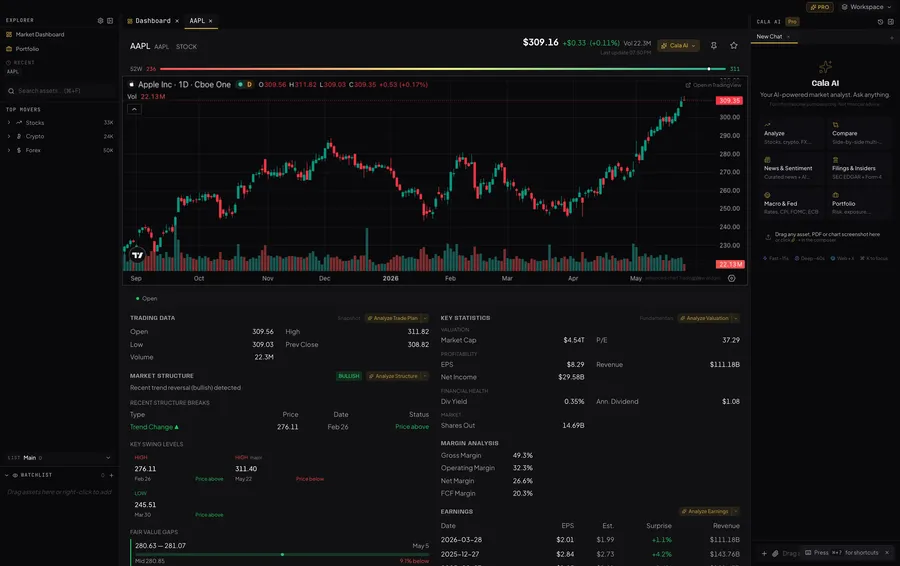
Options flow, dark-pool prints, gamma exposure and max pain are market-structure data and analytics for informational and educational purposes only. Data is US-only, sourced from a third-party provider (Unusual Whales), and may be delayed. Nothing here is a trade signal, recommendation, or prediction. Cala is not a broker and does not execute trades.
CONGRESS DISCLOSURES & NEWS
Public STOCK Act disclosures from US senators and representatives are aggregated and summarized by AI, alongside earnings calendars and 14+ news sources with sentiment scoring — all for informational purposes only.
Senate & House public filings, disclosure dates, exposure breakdowns
Today, this week, next week — with EPS estimates, revenue forecasts, AI bulk analysis
14+ sources with AI-scored sentiment per asset
AI reads 10-K, 8-K, Form 4 filings and extracts key points
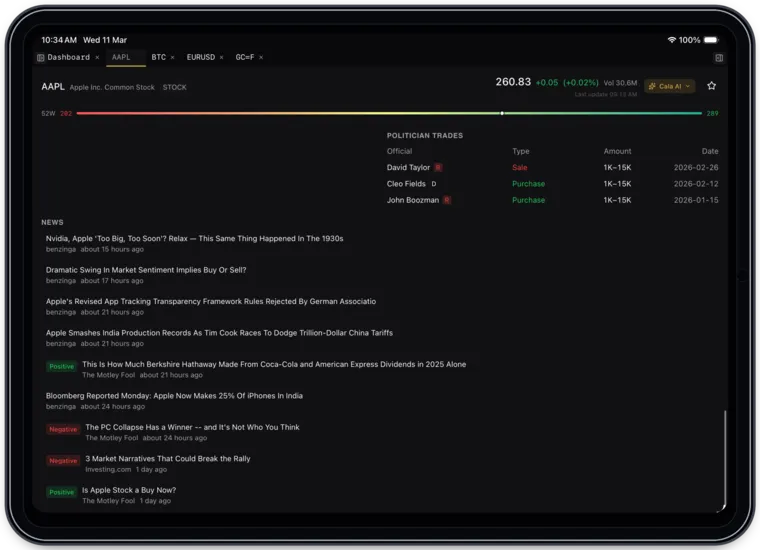
MULTI-WINDOW WORKSPACE
Open multiple panels side by side. Dashboard + stock chart + forex + crypto — all live, all docked together in one clean layout.
NATIVE iPAD EXPERIENCE
The same Cala experience on iPad Pro. Optimized for touch, Apple Pencil, and Magic Keyboard. Take your market view anywhere.
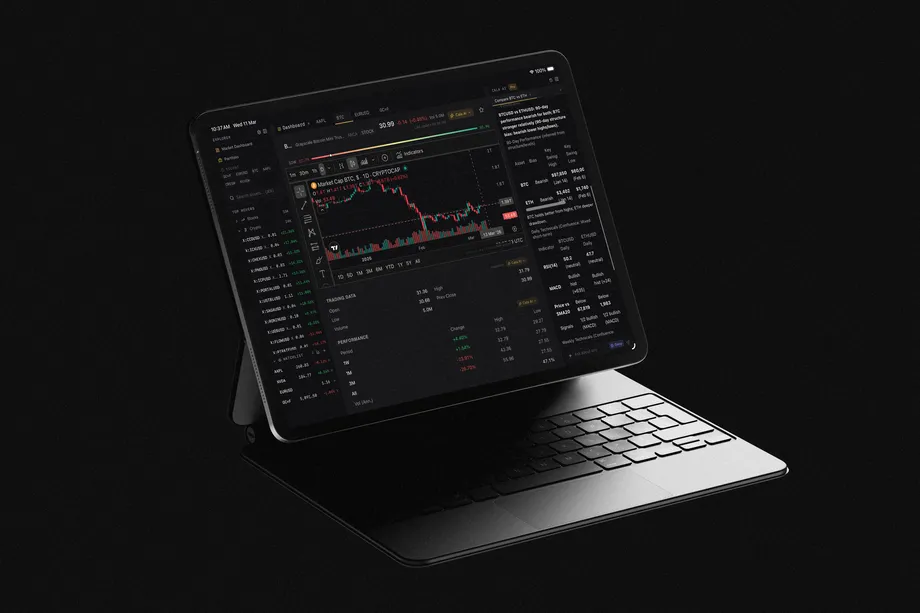
KEYBOARD-FIRST
Every action has a shortcut. Navigate the whole app without touching the mouse. Works on Mac, iPad, Windows, and Web.
AI MARKET ANALYSIS
We don't ask AI for prices — we fetch them. Every number is a real, verified data point.
Prices come from verified market data feeds. Indicators are computed from real OHLCV history. Every step is logged and visible — a window into how the analysis was made, not a loading spinner.
READ-ONLY CONNECT
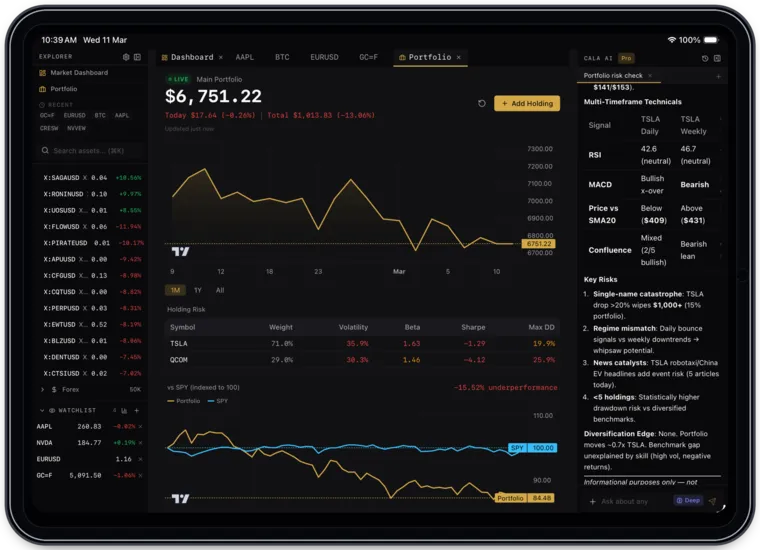
Connect a brokerage read-only (SnapTrade — 25 brokerages + 3 crypto as marketed). See risk context, allocation, and AI commentary on holdings you already own. No order path. No volume-gated “free Pro.”
Viewing and analysis only — our software requests a read-only connection and the app has no order-placement path
Volatility, drawdown, Sharpe / Sortino, sector vs SPY — explained in plain language
We don’t get paid when you trade more. There is no volume-gated “free Pro”
AI reads holdings you already own and highlights concentration and correlation context
WHO IT’S FOR
Options flow, dark pool, GEX — explained in plain language
Drag, dock, tile across Mac or Windows
Native EN + ES — same data, same AI
Stocks, crypto, forex, commodities in one layout
SEC summaries, Congress disclosures, sentiment
Same terminal, touch-optimized
DASHBOARD
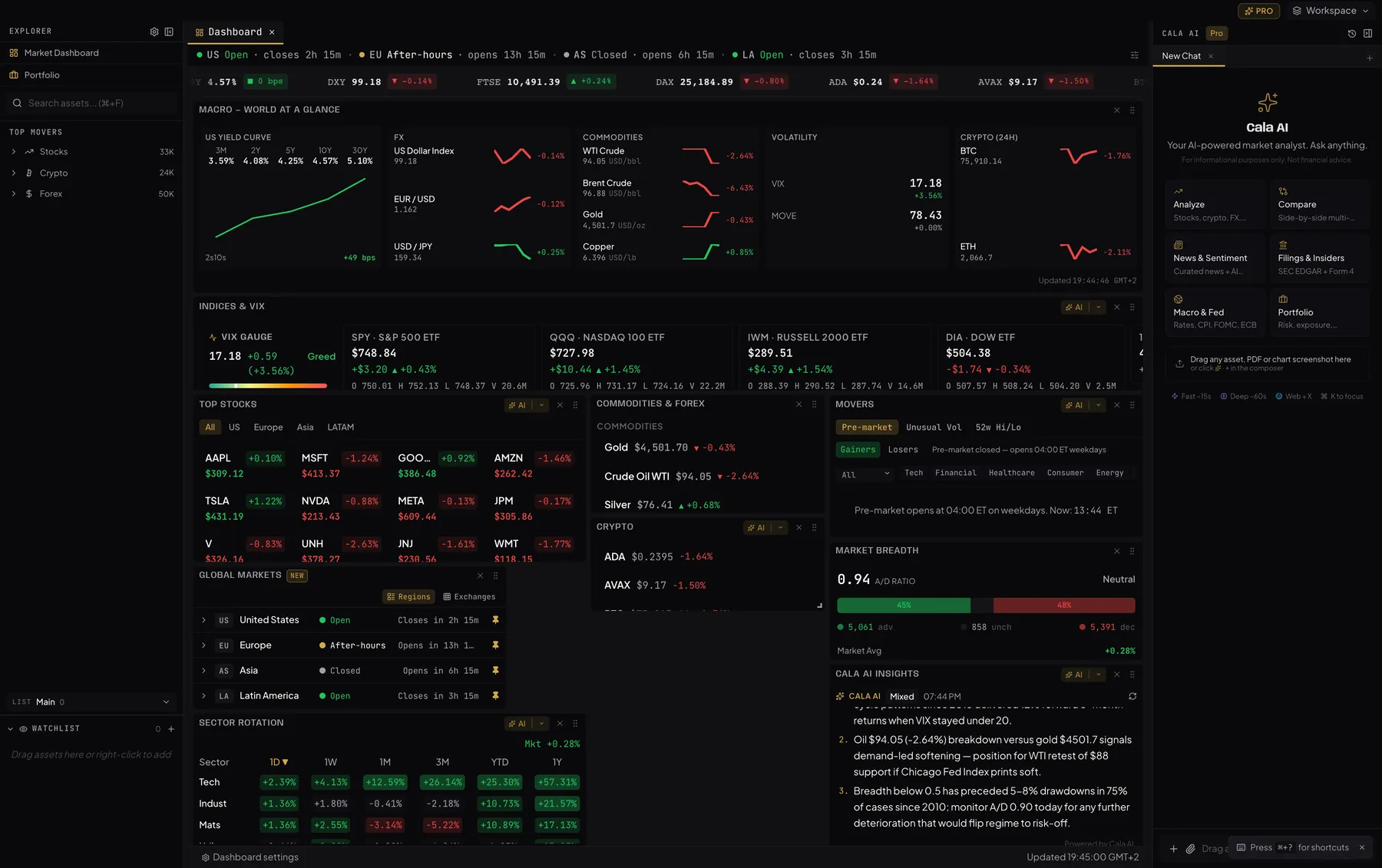
Indices, Fear & Greed, top stocks, crypto, commodities, forex, AI market insights, heatmaps, earnings, and more — all in one informational view.
DEEP ANALYSIS
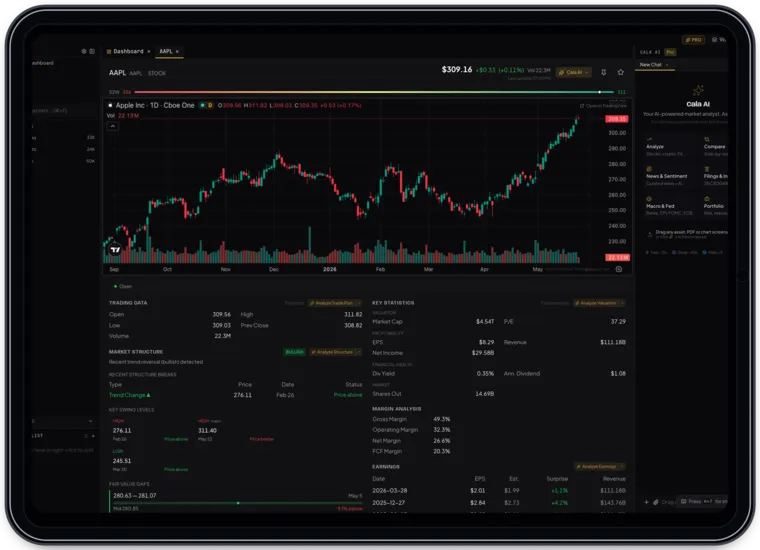
Every asset gets the full AI treatment: technical indicators, fundamentals, SEC filings summaries, news sentiment, analyst ratings, and market structure — all from verified data, for informational purposes only.
RSI, MACD, Bollinger Bands, SMA/EMA, support & resistance, market structure
Financials, margins, earnings, EPS, P/E, ROE, analyst ratings, price targets
10-K, 10-Q, 8-K, Form 4 — AI reads and summarizes public filings
14+ sources, AI-scored sentiment, real-time aggregation
MULTI-ASSET COVERAGE
PRICING
Free plan — no credit card. Pro: 7-day trial, then billed. Cancel anytime.
No credit card. Explore the terminal with daily limits (e.g. Fast mode 3 queries/day).
✓ Free plan · ✓ No credit card · ✓ Separate Pro trial
7-day trial, then billed. Full Pro on the web. Cancel anytime.
✓ 7-day trial, then billed · ✓ Cancel anytime · ✓ No charge until day 8
7-day trial, then billed annually — ~$29.16/mo. Save 27% vs monthly.
✓ 7-day trial, then billed · ✓ Cancel anytime · ✓ No charge until day 8
App Store: ~$45.99/mo (~13% higher) — prefer web. Also available on the Mac App Store and iPad.
HOW CALA COMPARES
A consumer-priced AI research + structure terminal next to the institutional desk, a flow terminal, and a chatbot with a finance mode.
| Feature | BBBloomberg |
UWUnusual Whales |
PXPerplexity |
 Cala Terminal Cala Terminal |
|---|---|---|---|---|
| Starting price | $32,000PER YEAR | ~$48PER MONTH | $20PER MONTH | Free — $39.99PER MONTH (PRO) |
| Conversational AI analyst | Partial | Partial | 90+ tools | |
| Dark pool prints & aggregates | ||||
| Unusual options activity & flow | ||||
| Dealer gamma exposure (GEX) | Partial | |||
| Options max pain & open interest | Partial | |||
| Congress & politician trades | ||||
| Stocks · crypto · forex · commodities | Partial | |||
| SEC filing summaries | Partial | |||
| Bilingual English & Spanish | Partial | |||
| Self-serve signup + free tier |
Competitor pricing and features as of September 2026 — see each provider's site for current details. Cala is an informational research tool, not a broker.
FAQ
No. Informational research terminal. No order execution.
No. We surface structure and data for research — not recommendations.
Free: no card, daily limits. Pro: 7-day trial, then web $39.99/mo or $349.99/yr — unlimited AI / structure features as marketed.
Apple’s fee. Subscribe on the web to save. Web Pro is $39.99/mo vs App Store ~$45.99/mo.
Yes, read-only via SnapTrade for analysis of holdings you already have.
Different jobs. Cala is a consumer-priced AI research + structure terminal — see the comparison table.
Yes.
TRUSTED BY TRADERS
Informational app — not a broker. Cala does not execute trades.
AVAILABLE ON
Free tier: no credit card. Pro is a separate 7-day trial, then billed.
Web Pro is $39.99/mo vs App Store $45.99/mo. Annual web $349.99/yr. Subscribe on the web or download the desktop apps.
GET STARTED
Start on the free plan (no card), or try Pro for 7 days then billed. No sales calls — informational market data and AI insights.
Cala is an informational research tool, not a broker, and does not provide investment advice.