 Cala Terminal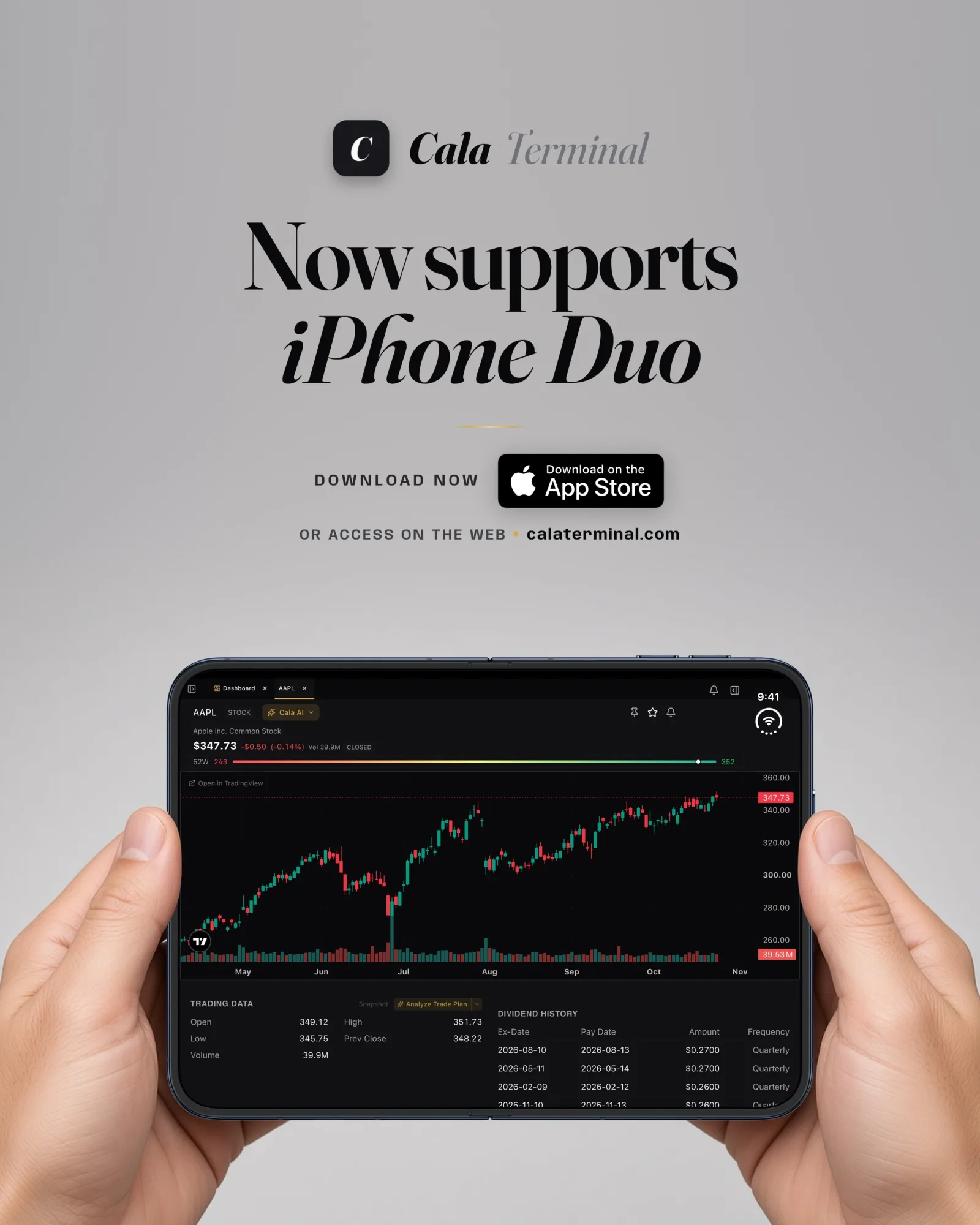
What the iPhone Duo changes for trading apps
The Duo has two screens: a 5.4-inch cover screen and a 7.6-inch inner screen, with the same aspect ratio. It ships with iOS 27.1, and it brings Split View, two apps side by side, to the iPhone for the first time (Apple Newsroom).
For an app, folding is a size change, not a restart. How an app that was not updated looks depends on the SDK it was built with. Apps built with the iOS 26 SDK keep iPhone proportions inside black frames. The iOS 27 SDK stretches them further. Only apps built with the iOS 27.1 SDK get the full screen (Apple Developer Forums, 9to5Mac). So the same phone can show one app edge to edge and the next one boxed in the middle.
Five problems owners are reporting
1. Black bars on the inner screen. Apps not rebuilt for the device show a phone-sized layout centered on the big screen. Reviewers called it out in the first week (Macworld review roundup, GadgetReview). For a chart, that means less room exactly where you wanted more.
2. A dead strip on the cover screen. On the outer display, apps that were not updated can leave a black column on the right. Some owners also say Safari wastes width with the phone closed (Macworld, day one, MacRumors forums). A watchlist that loses a column of width is harder to scan.
3. Finance apps without a Duo build yet. In the first days after launch, the App Store pages of several popular charting and broker apps showed no Duo badge and no Duo mention in their release notes (we checked on October 25). Apple is adding a badge to listings so you can tell which apps fit (Android Headlines). This changes week by week, so check your own apps rather than trusting a list.
4. Losing your place when you unfold. Developers report that apps which swap layouts on fold can drop an open sheet, reset scroll and selection, or show an empty screen until you refresh (MacRumors developer notes, a GitHub issue). If you were halfway through a filing or a set of notes, that hurts.
5. Split View is locked at 50/50. You can put a chart next to another app, but each gets half the screen and you cannot resize them (MacRumors, MacStories). In landscape, the keyboard also covers a large part of the open screen (MacRumors developer notes).
A five-minute check for your trading apps
You do not need to wait for reviews. Pick the two or three apps you open every trading day and run through this list. If you chart in TradingView or a broker app, check its release notes for Duo support the same way.
Open the App Store page and look at the latest version. A Duo build usually says so. No mention is not proof of a problem, but it is a reason to test.
Apple is adding an iPhone Duo badge to App Store listings (Android Headlines). It is the quickest signal that the developer built for the device.
Open the app on the cover screen, then on the inner screen. Look for black bars, a dead strip on the side, and text that does not reflow.
Open a ticker, scroll down, open a sheet or start typing a note. Then unfold. Did you land in the same place, or back at the top?
Put your chart app next to your notes or broker. Each side gets half. Decide if half is enough before you build a routine around it.
How Cala Terminal handles the Duo
Cala Terminal is an AI research terminal. On the Duo, the app detects the device natively and tells the page where the hinge and the corner cutouts are. That information updates every time you change posture, so the layout knows where not to put things.
On the cover screen you get the phone layout with drawers. On narrow widths one pane shows at a time instead of three cramped ones. Open the phone flat in landscape and the Explorer and the Cala AI chat sit side by side on the inner screen. In inner portrait, on the cover screen and half open, opening one side panel closes the other, so nothing gets squeezed. On a Duo the side panels start open and are not collapsed for you.
Half open, in the laptop posture, the welcome screen splits around the hinge and sign-in forms stay below it, where you can type. When you fold or unfold, the same Cala session keeps running. The app is not reloaded, it is resized, and your open desk stays as it was.
There are limits worth saying plainly. Cala runs as a single window and does not advertise Split View or multi-window support. Split View on the Duo is fixed at 50/50 for any two apps paired there. More detail in Fold and unfold without losing your research and Cover, inner and half open.
Cala is on the App Store for the iPhone Duo: get Cala Terminal. It is also on Mac, Windows, iPad and the web, so the desk you set up on the phone is not the only place you can work.
What Cala is not
Cala is not a broker and does not give buy or sell advice. Orders stay with your broker. If you chart in TradingView, keep doing that; the split is covered in TradingView vs Cala Terminal. If your phone is one tab among many, Too many market tabs covers why one research desk helps.
Want a different angle on AI investing on the Duo? Our sister site has a guide: AI investing on the iPhone Duo. For how Cala compares with that app, see Cala Terminal vs AI Investing.
FAQ
Why does my trading app have black bars on the iPhone Duo?
Because it was not rebuilt for the device. Apps built with older SDKs keep iPhone proportions on the inner screen (9to5Mac). An update from the developer fixes it; your phone is fine.
Does Cala Terminal work on the iPhone Duo?
Yes. Cala detects the Duo natively, knows where the hinge is, and adapts its layout on the cover screen, the inner screen and half open.
Will I lose my research if I unfold?
In Cala, folding or unfolding resizes the same running session. The app is not reloaded and your open desk stays as it was.
Can I use Split View with Cala?
Cala runs as a single window and does not advertise Split View or multi-window support. Split View on the Duo is fixed at 50/50 for any two apps paired there (MacRumors).
Is Cala a broker or does it give trade advice?
No. Cala is an AI research terminal. It does not execute trades or tell you what to buy or sell.
Try Cala Terminal on your iPhone Duo
An AI research terminal that knows where the hinge is. The same session keeps running when you fold or unfold. Research only, not a broker.
Open CalaDownload apps